
The Program
Develop a digital whiteboard and communication multi-platform service for business and retail customers (Proof of Concept).
- Type: Consumer and Small Business SaaS
- Market: USA
- Team: 3 Product Managers • 15 Designers • 20 Software Developers
- Role On Feature: Multiple Roles from Individual Contributor to Team Lead as Project Evolved
- Timeframe: 15-month Agile rollout • 2017
The Challenge
Design multi-platform applications through experimenting and testing new technologies within the virtual communication and meeting space for various market segments with the end goal of improving T-Mobile's core network services. Each version was developed and shipped internally
First Proof of Concept Version: I was the sole designer for the meeting collaboration feature set. This encompassed virtual meeting tools, screen sharing, and whiteboarding technologies for Native Android, iOS, and Web form factors.
Second Proof of Concept Version: I was the creative team lead for the project and entire communication and collaboration feature set. This encompassed product design, visual design, and design rituals. I coordinated feature priorities and design feature delegation with Product for Native Android, iOS, Web form factors.
What Changed
- 7%
Network traffic technology efficiency improvement - 3-5 months
Saved on research and development by incorporating features into other core commercial products e.g. DIGITS - 15
Built a 15-member UX team to support CDSE division's multiple digital products - :-)
Hired Full time and promoted to team lead overseeing the product design strategy of multiple products
The Strategy
How'd I get hired Full time from contracting
This is a good story as most are, but the short version is two elements.
- Design strategy and aligning product features to business problems
- Consensus building and communication with leadership and engineering
As I began sorting through the technology that stakeholders wanted to include in the apps, I interviewed colleagues and friends on how they imagine desk-free virtual meetings could be. What sort of options they would need if they could detether from their desks, without having to lug a laptop. Open offices are unavoidable and they are distracting. Often there are never enough conference spaces.
- Open office plans are noisy and it sucks taking meetings, there is never a meeting room available.
- Participant 1 - The guy next to me always talks so loud when he is on a call
- Participant 3
Mobile First
In my process I started with iOS, then Android, and finally web. This was based on leadership and stakeholders being primarily iOS users.
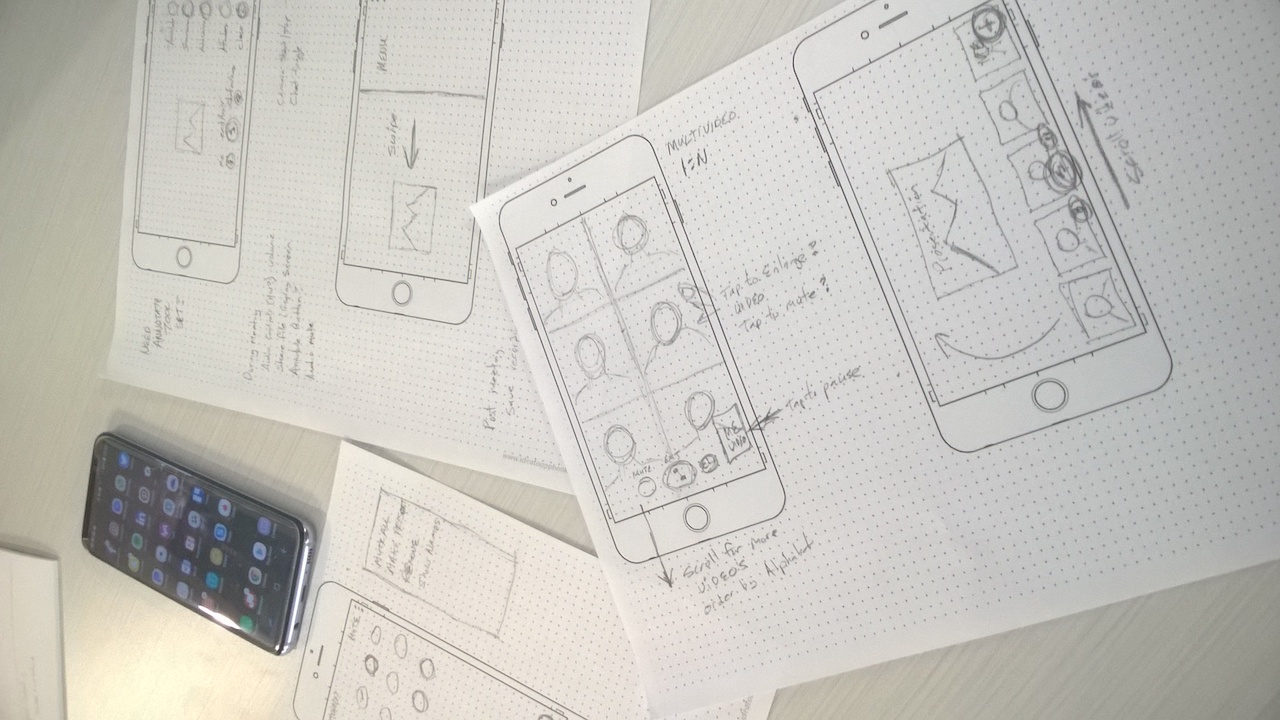
Three Core Features For the Proof of Concept
The 3 core features I was tasked to design a solution to test out the technologies we would use to run the network through its paces and start to construct a viable marketable product were:
- Feature 1
Virtual Meeting Room - Feature 2
Screen Sharing - Feature 3
Digital Whiteboarding
Execution
Product Design Solution
For brevity, I will only discuss a few user scenarios for iOS designs from this first proof of concept version.
Virtual Meeting Room
The technical product managers and engineers within the CDSE technology team had developed a basic virtual meeting SDK to test the network and brought me on board to create a product roadmap that would meet a business objective of replacing multiple third-party communication software T-Mobile was using.
The first product design milestone was to identify features and design an experience for a meeting app.
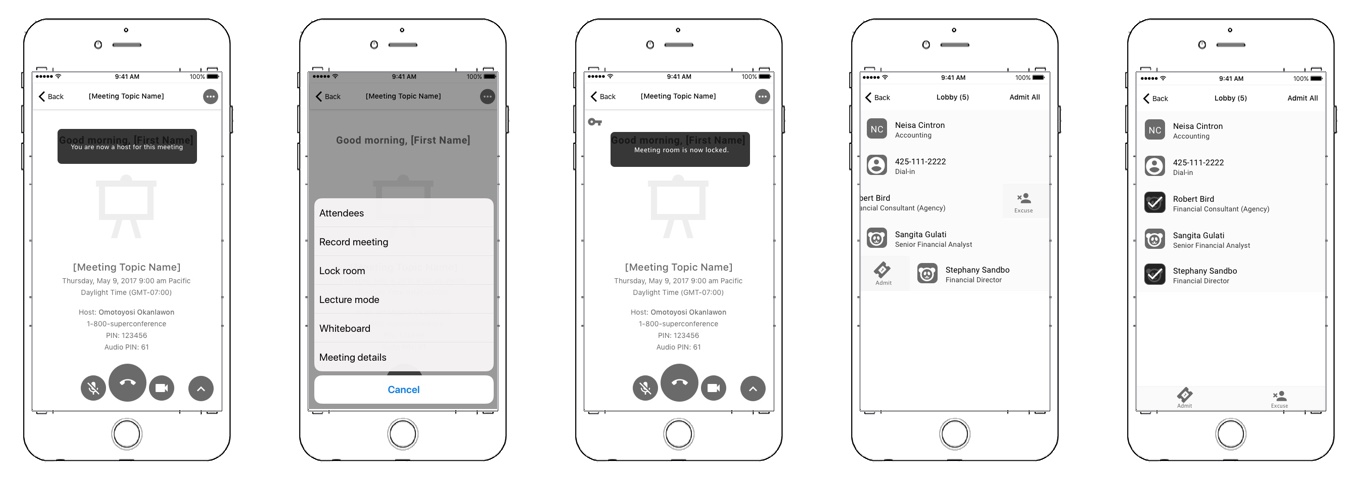
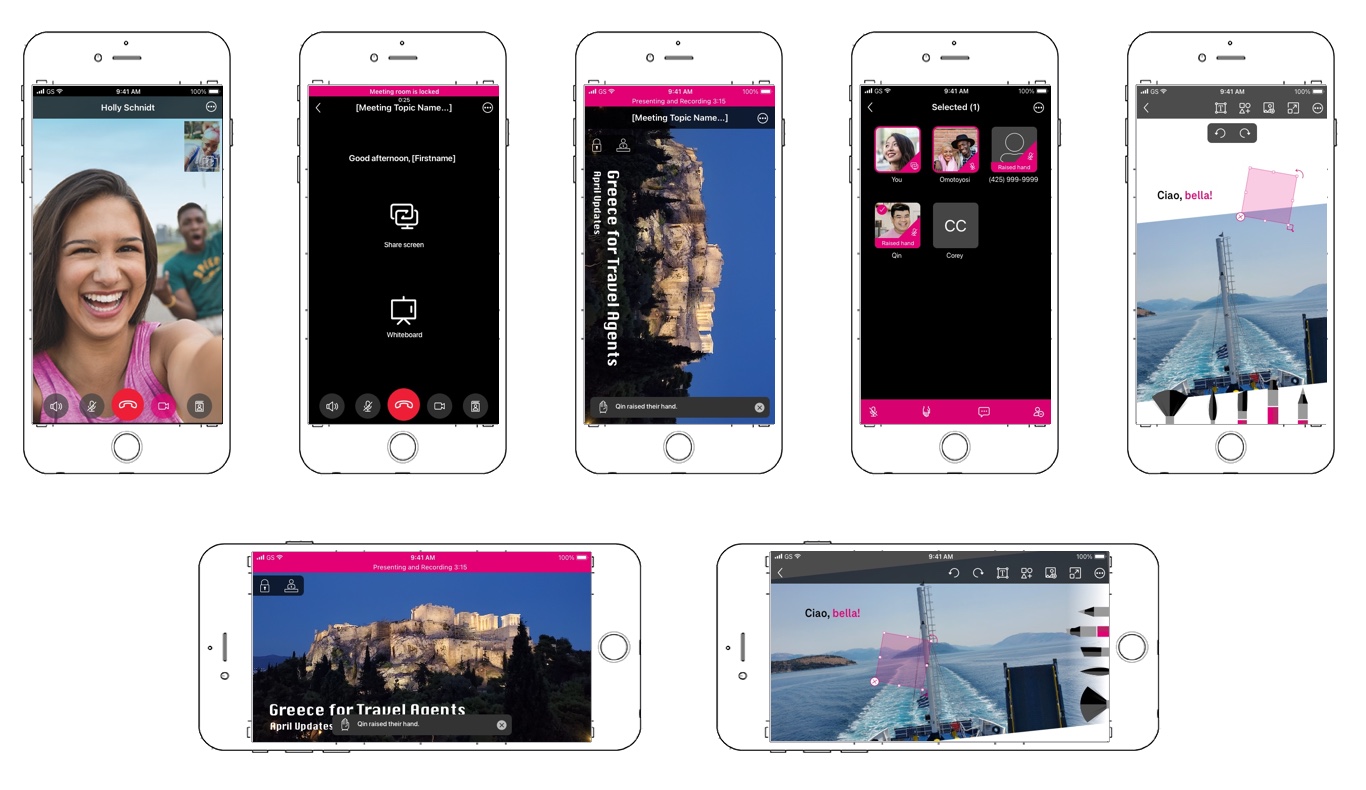
User Scenario 1: A user is being invited to join an ad hoc meeting.
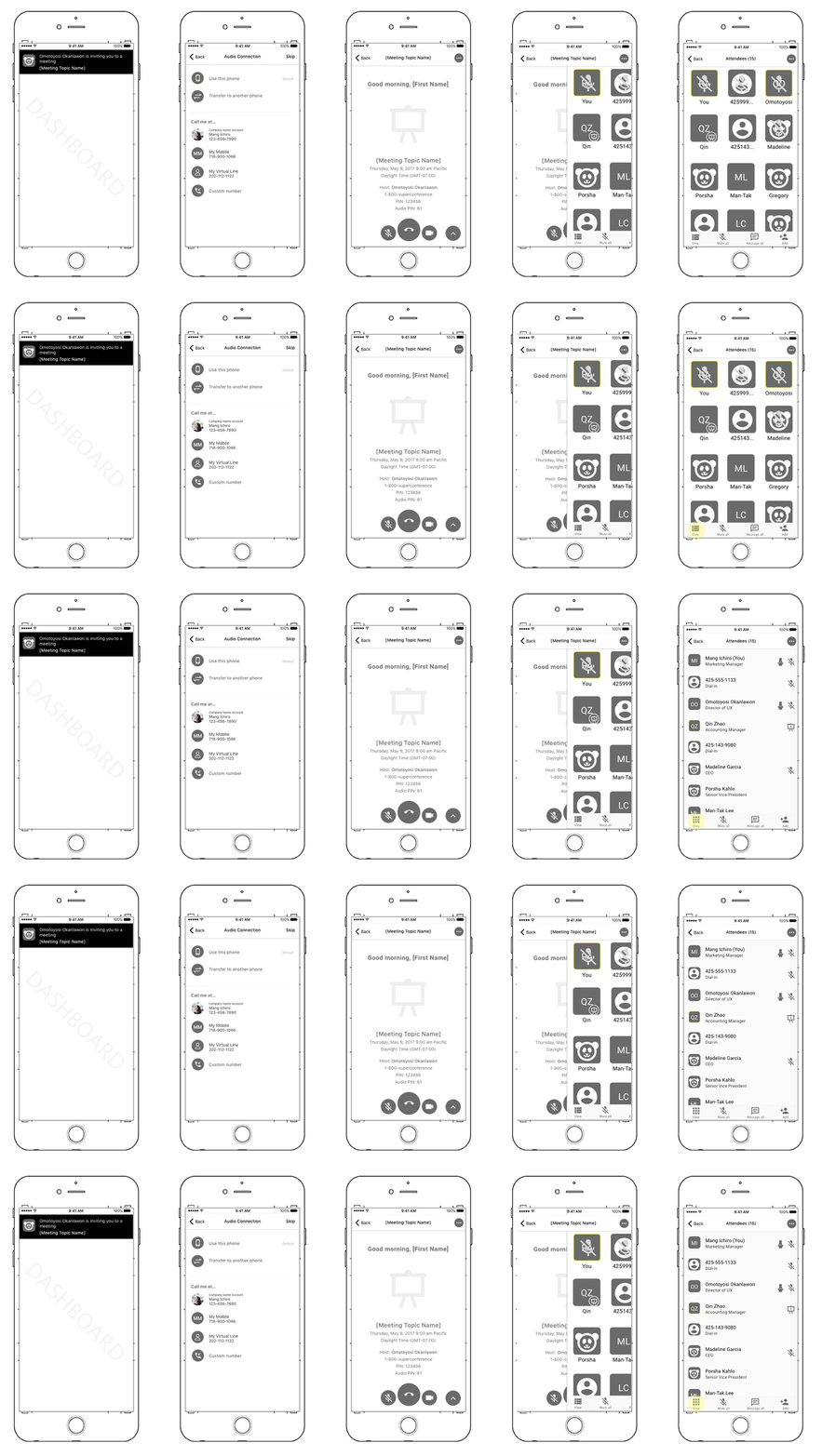
The Host had certain administration controls they could avail themselves of to manage the meeting. A few of these are Lecture (Presenter) Mode, Lock Room, Mute All, Record Meeting, Admit and Excuse Participants.
User Scenario 2: A user is the host of the meeting and locks the meeting room so no new participants may join.
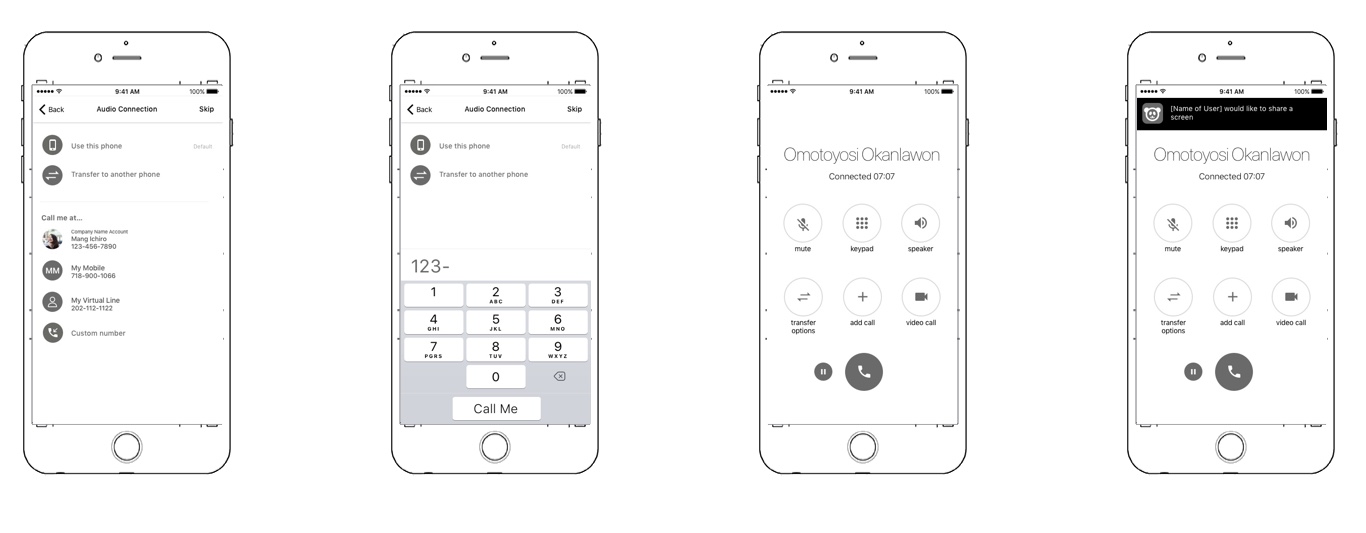
All participants can control how they connect audio in a meeting. Audio calls can be 1 on 1 or group calls. Participants can upgrade an active audio call into a meeting where they can screenshare or use the Digital Whiteboard.
Scenario 3: Audio and Video Calling Options
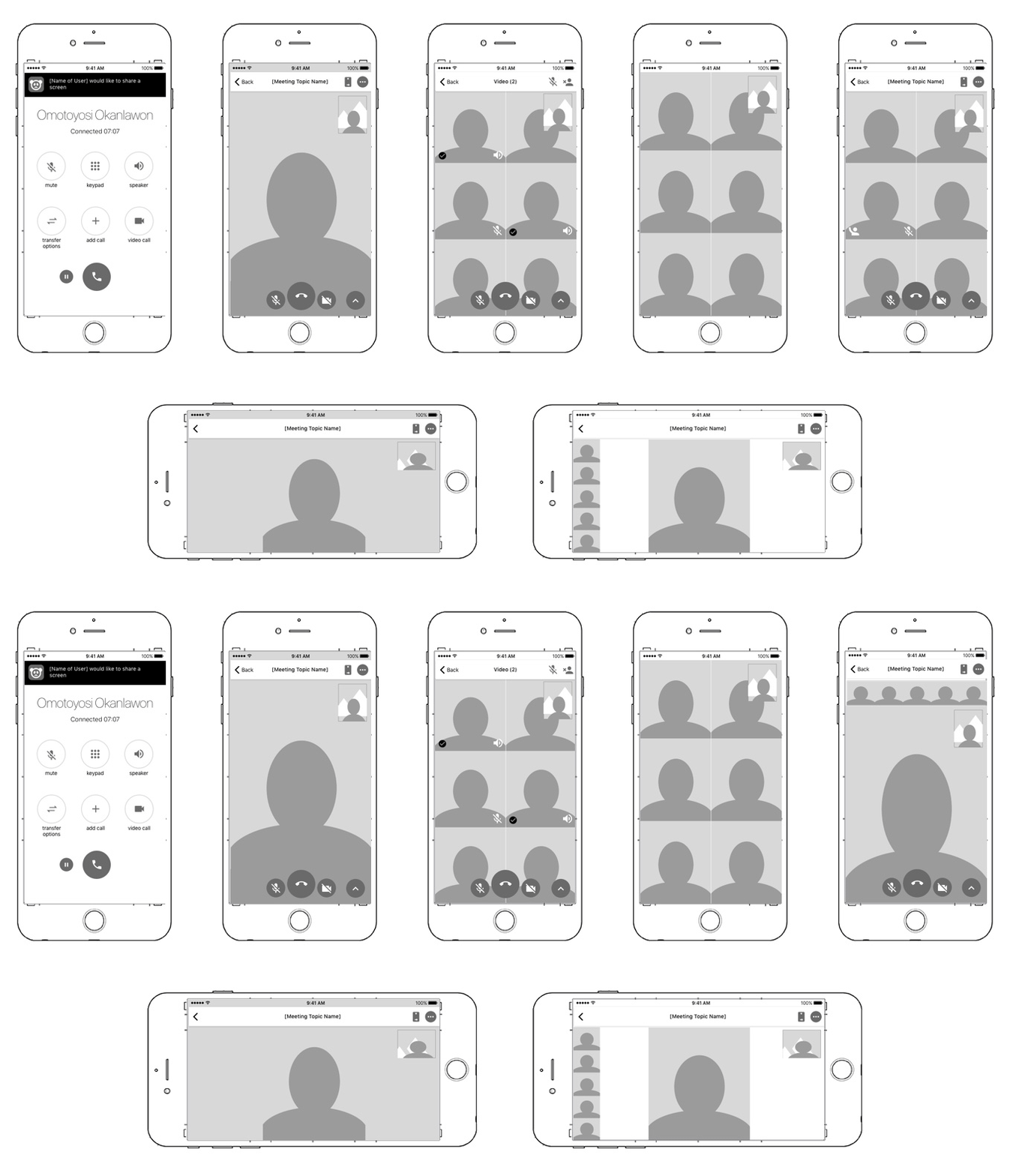
Participants can start a 1 on 1 video call or a group video call; they can also upgrade an audio call or meeting to a video call. Within a video call the participant can control which device camera they want to use and pause their video. They could switch between different video modes as well.
Screen Sharing
Screen sharing on a mobile device in a meeting created some interesting Challenges around form factor and screen size, what to share, how to switch between the meeting controls and the shared content.
Any participant could instigate a screenshare within the meeting app unless the host put the meeting into Lecture mode.
Participants could view the screen share in Portrait and Landscape mode. I made a design revision to screenshare in Landscape mode only.
Scenario 1: User shares content in a meeting from their mobile device and pinches with touchpoints to zoom into content.
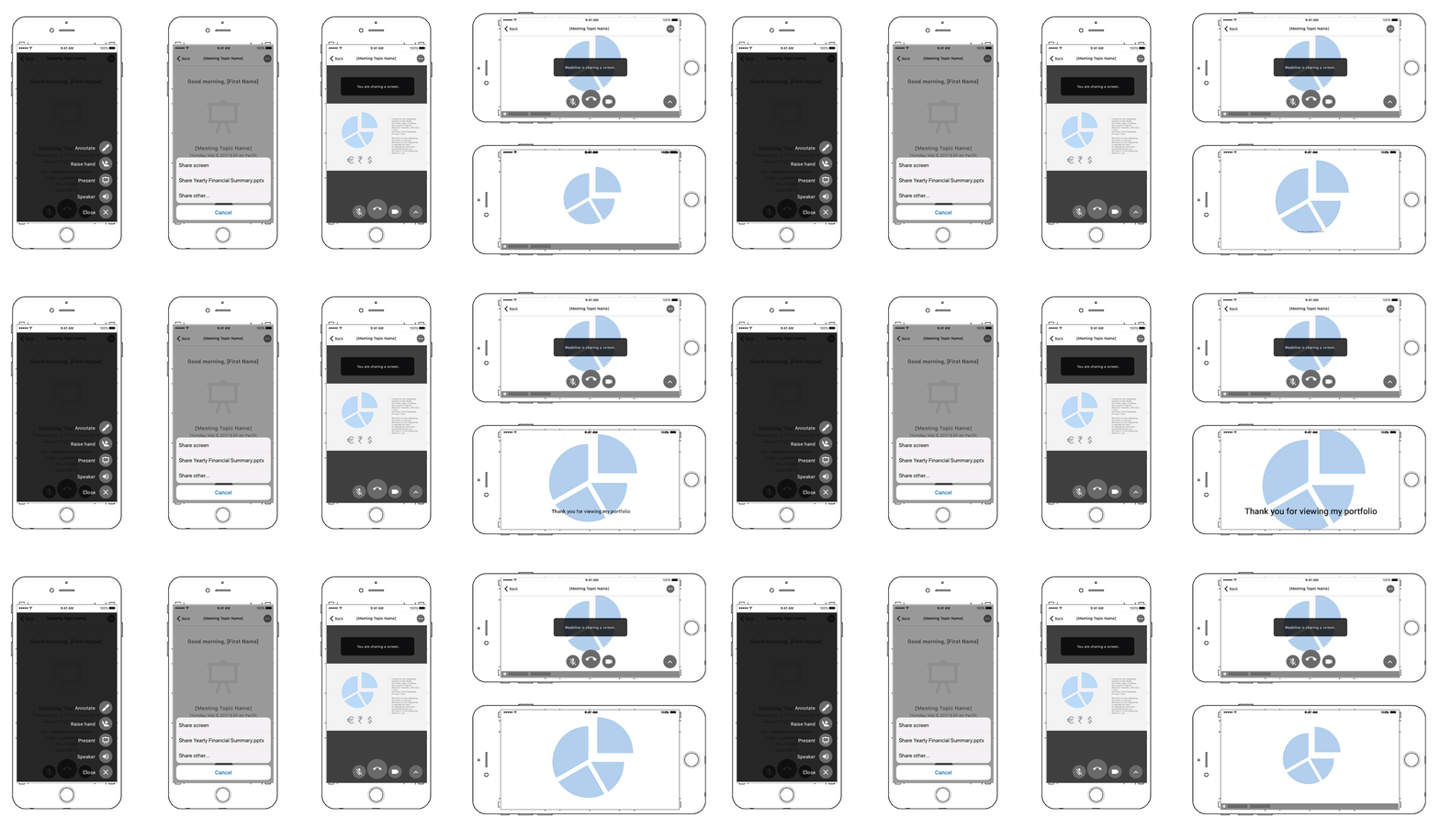
Thinking about Annotating, the main design consideration was how advanced should this be particularly on a small screen like a mobile device. For the PoC I chose to have only one brush size and limit the color choice to one unique color for each participant.
Scenario 2: User starts annotation mode during a screenshare
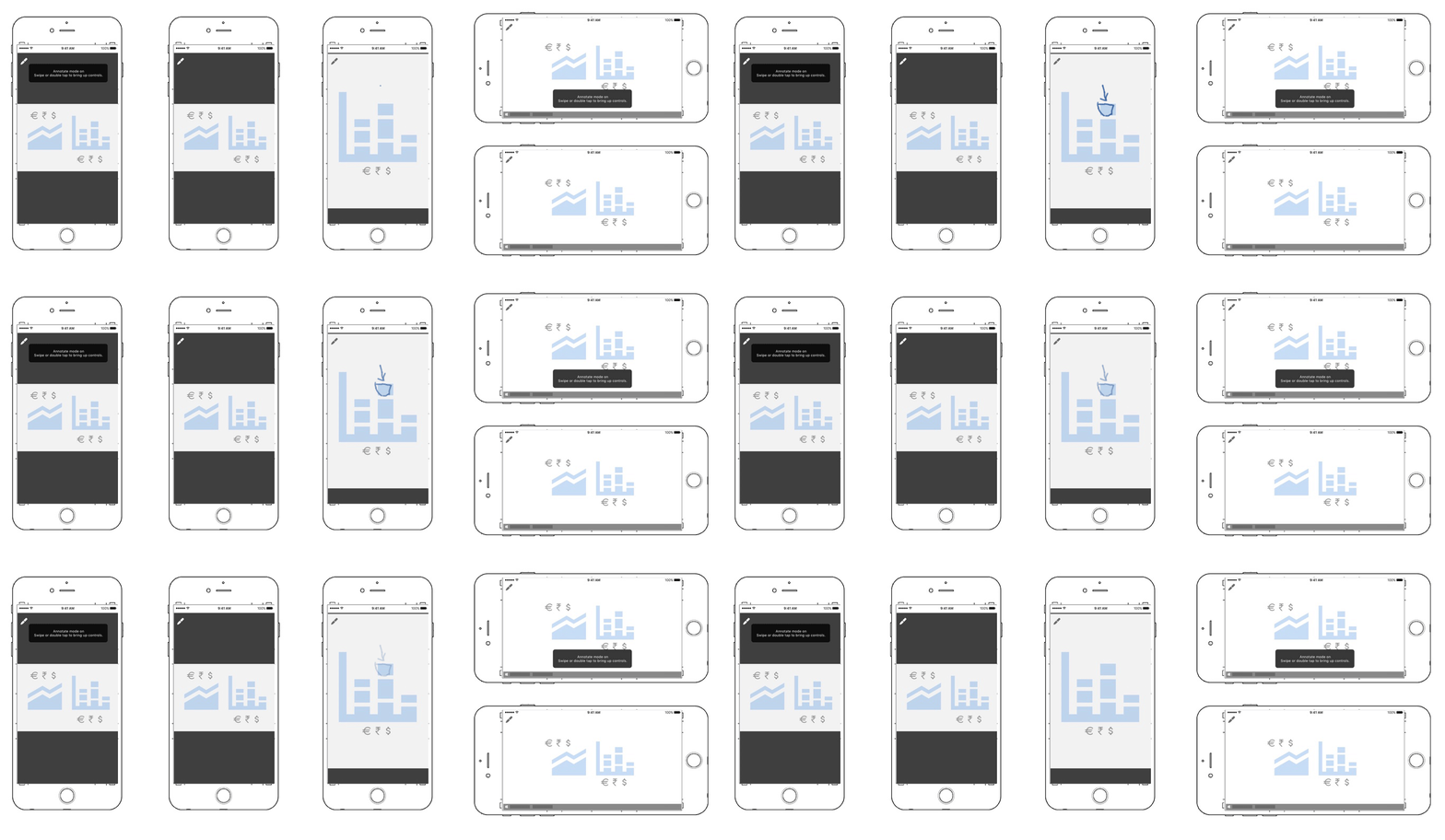
Accessibility Issue: Some colors became problematic as they got lost depending on the content and some colors were not accessible. I fixed the Accessibility part by using 16 accessible colors and decided if some colors repeat for users that is an acceptable tradeoff. I also added a drop shadow to the brushstrokes which helped to prevent blending.
Digital Whiteboarding
The digital whiteboard had an infinite canvas that all participants could simultaneously draw on or import files to.
Participants could also create multiple canvases. The host could also record the whiteboard session, and it would automatically save. The participants invited to the session would have access to it at any time. Any participant could export the whiteboard as a snapshot.
Sceanrio 1: User enters a whiteboarding session and sees an imported photo and tools available.
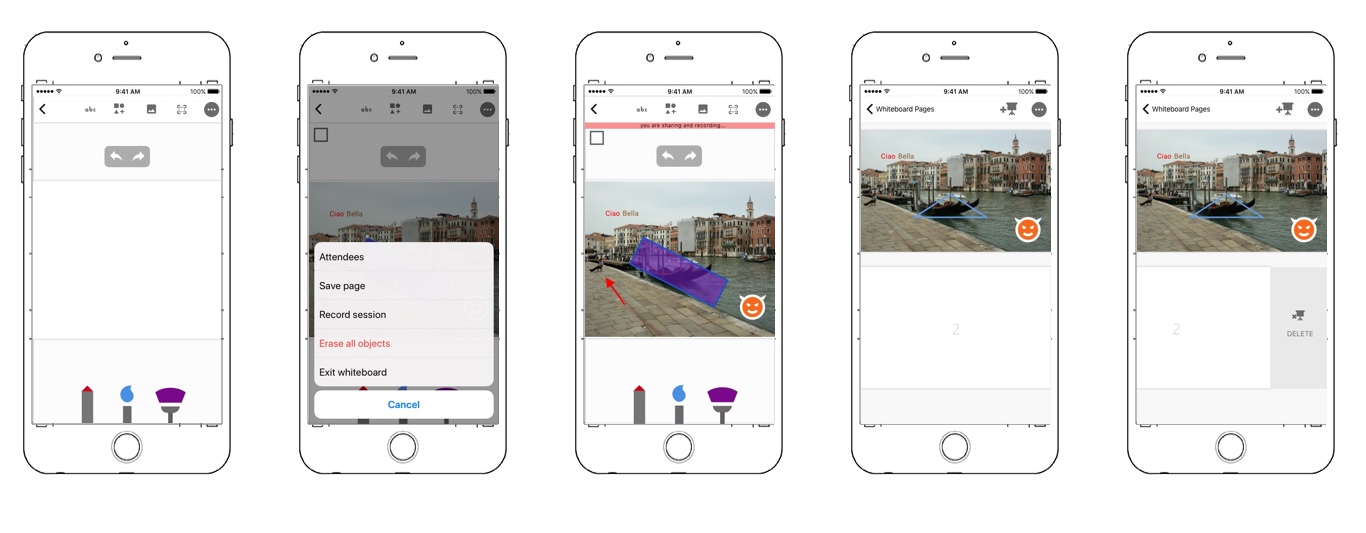
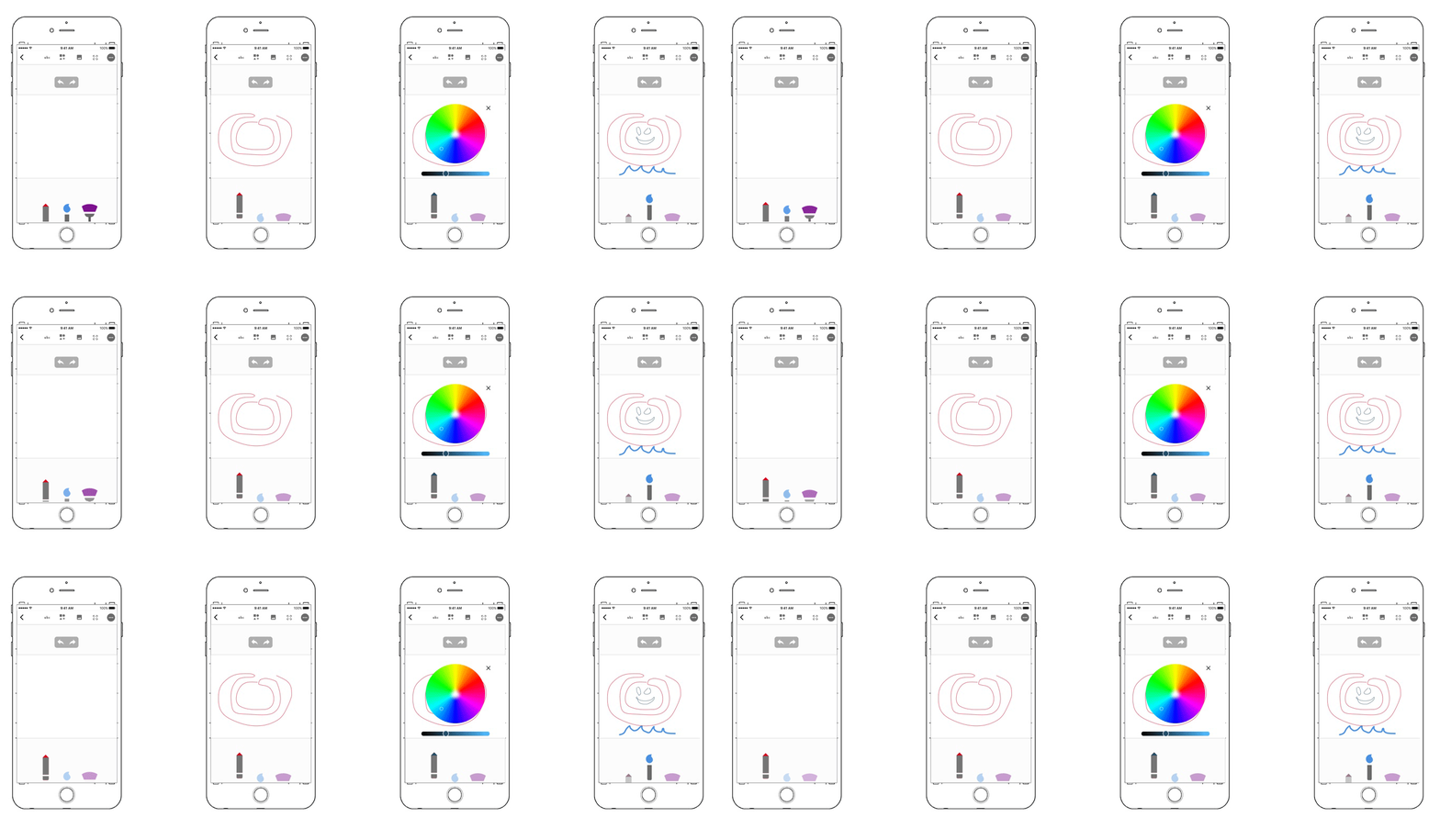
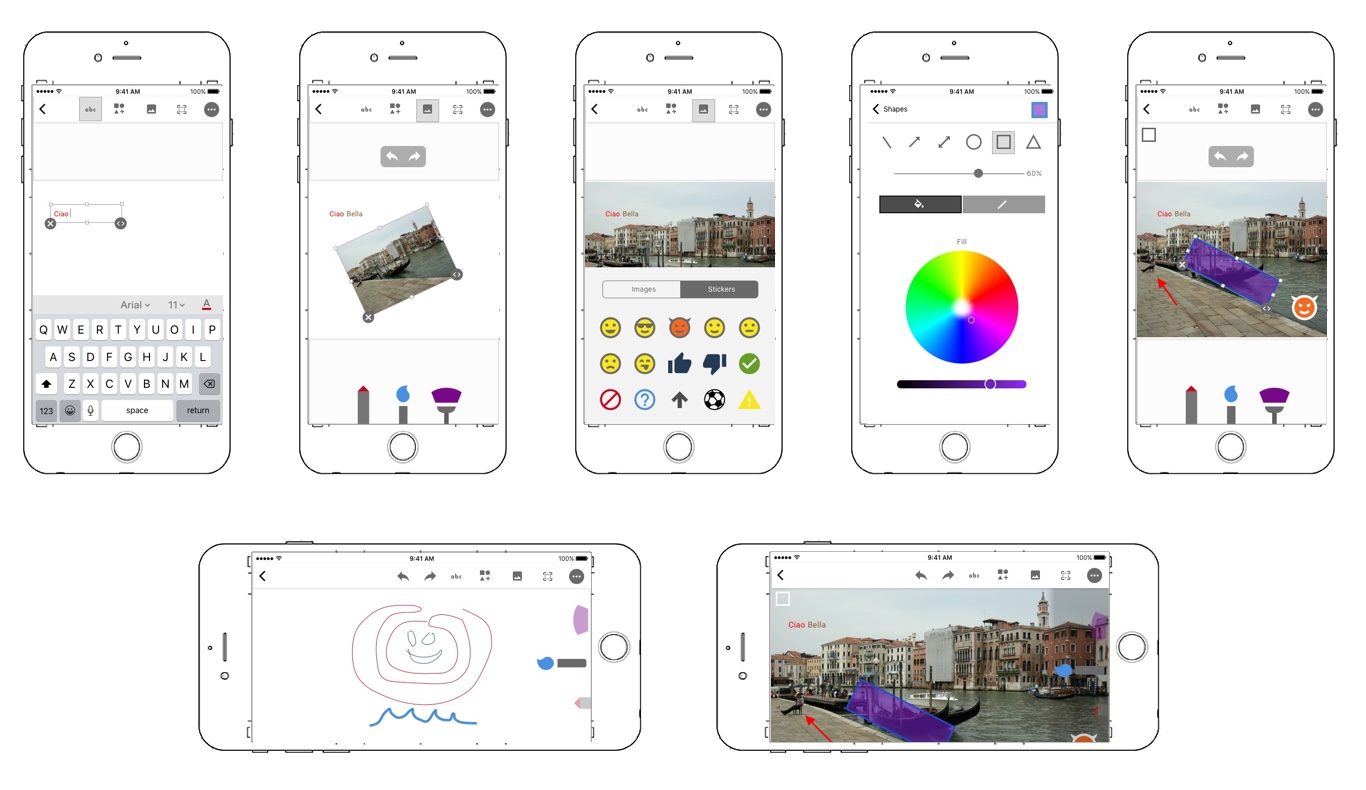
The participant could choose between 3 types of brushes with varying widths and add text using 16.5 million colors.
I added tools to draw shapes, lines, arrows. The participant could add emojis and stickers to the canvas.
Visual Design Solution
What Visual Aesthetic Will Define the Platform
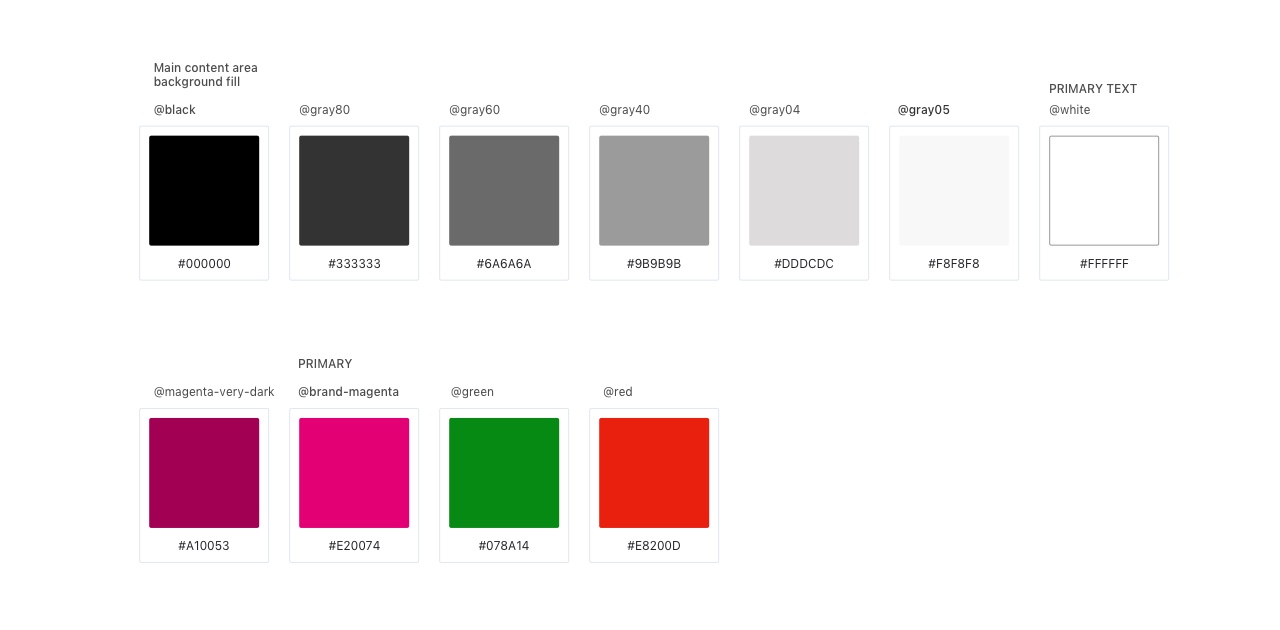
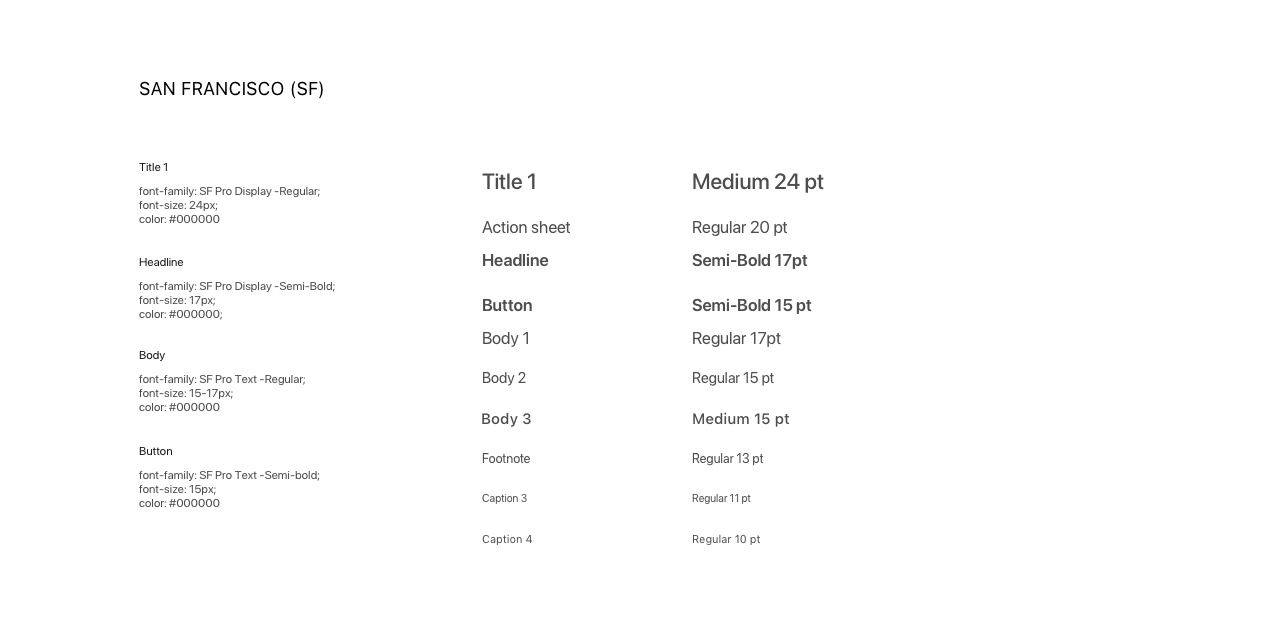
When exploring the visual style and language for the app, at the direction of stakeholders and the experience directors, we started with a dark themed palette. This reflects some of the early concepts and style guide.
- Base Visual Design Layout
- Typography
- Icon Style Design
- Accessibility
Impact
What I Accomplished
Once we had successfully completed both proof-of-concept versions leadership began a strategy with T-Mobile For Business to utilize features of the apps to create a market viable product.
The proof of concept was not released commercially; however, it accomplished:
- 7%
Network traffic technology efficiency improvement - 3-5 months
Saved on research and development by incorporating features into other core commercial products e.g. DIGITS - 15
Built a 15-member UX team to support CDSE division's multiple digital products - :-)
Hired Full time and promoted to team lead overseeing the product design strategy of multiple products